

URL workflow
Translate a video by URL
VinnerVi Subtitles
AI Bilingual Subtitles — Original + Your Language, Side by Side
Watch videos in your language. AI subtitle translation in 40 languages — with the Android app, a browser extension, or the website. Show the original and translation together, or just the translation. Start with 50 free credits.
 Now on Android
AI subtitle translation on Android
Open a video, translate it, and watch in one app. VinnerVi brings its own browser, native translation controls, History and subtitle settings to Android. Install the app and start watching — no browser extension setup.
Android 8.0+ · 17 interface languages
 VinnerVi
안녕하세요, 만나서 반갑습니다.
Hello, nice to meet you.
40 Languages
Show both languages or just the translation.
For viewers
Watch any video. Bilingual subtitles on the player.
- Subtitles overlay on the player. Works on YouTube, Bilibili, TikTok, X, Vimeo, Dailymotion, Niconico, and 50+ more hand-verified sites.
- Bilingual by default. Original language on top, your language below. Skip it or toggle off any time from the popup.
One-click install:




Loads in ~30 seconds · some sites need one click on the extension to start
Bilingual mode
안녕하세요, 만나서 반갑습니다.
Hello, nice to meet you.
Now on Apple platforms

 Watch the iPhone demo
VinnerVi for Safari — now on Mac, iPhone, and iPad.
Translate videos and display bilingual subtitles directly in Safari with the same VinnerVi extension experience, adapted for Apple devices.
Safari for macOS
Free on the App Store for macOS 12 or later.
Safari for iPhone and iPad
Free on the App Store for iOS and iPadOS 26.2 or later.
Listed on the App Store as “Subtitle Translator for Safari”.
Real iPhone recording — opening VinnerVi, translating the audio, and displaying subtitles in Safari.
For streaming subscribers
Translate subtitles on Crunchyroll, Viki & Prime Video.
- Translate as you watch. We read the show's own subtitles and translate them live — original and your language, side by side on the player. About 1 credit per minute.
- Nothing to download. Open an episode, click the extension, pick a language. Translated subtitles appear over the player in seconds.
Crunchyroll, Viki & Prime Video — Netflix, Disney+ and HBO Max rolling out · Bilingual by default
More streaming platforms are rolling out — we welcome your feedback. Tell us which to add next at [email protected].
Streaming Mode
あきらめないで、最後まで。
Don't give up — see it through to the end.
For content creators & video editors
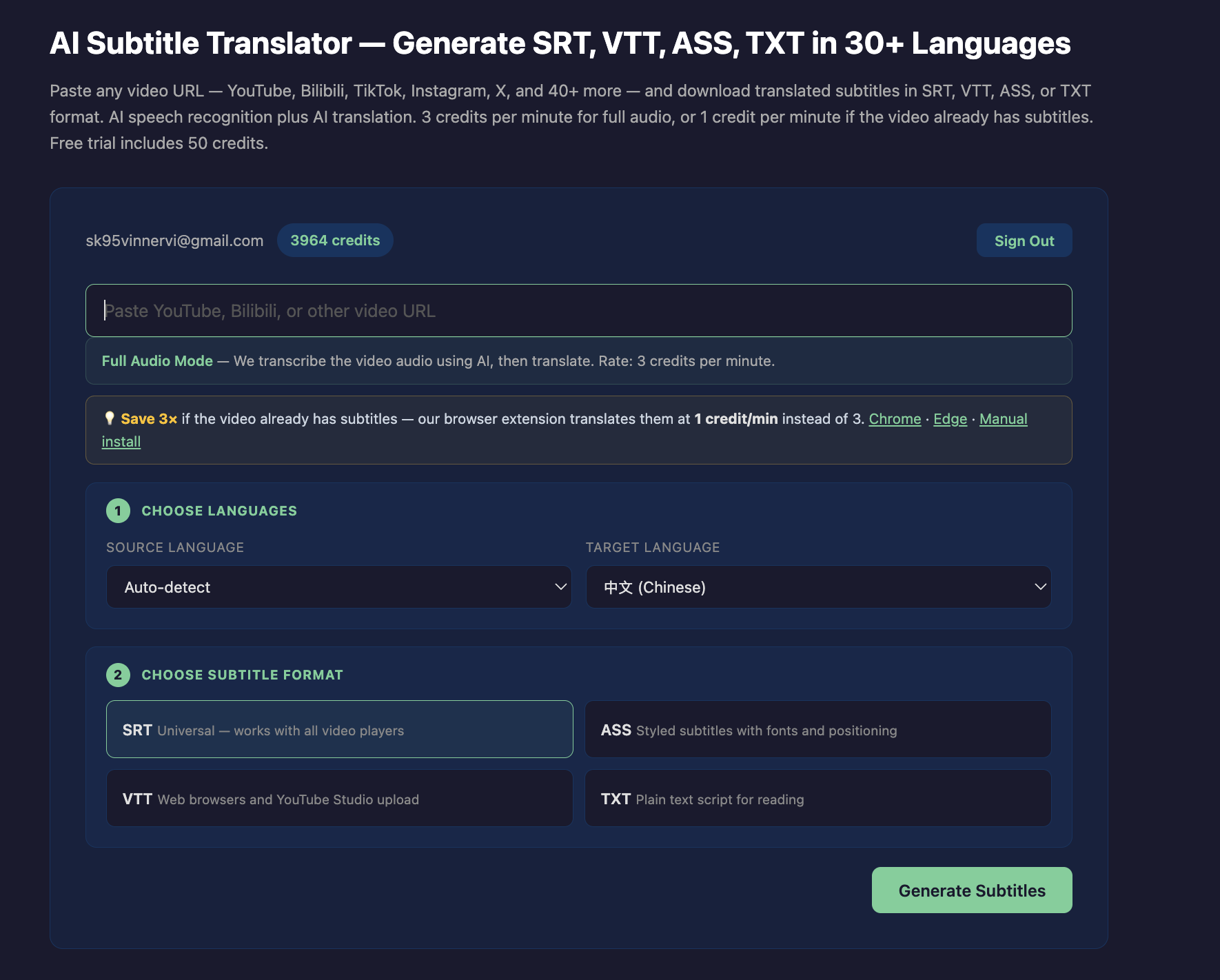
Subtitle files for your own workflow.
Drop into Premiere · Final Cut · DaVinci · VLC · mpv · YouTube Studio
See it in action
See it work in 30 seconds.
Two short walkthroughs — pick whichever workflow matches how you watch.
Browser extension
Use the browser extension